
Design for Attention Span: How to Create Content People Actually Engage With
You probably heard the statistic: human attention spans have dropped to eight seconds, less than a goldfish. It’s been cited in marketing presentations, TED talks, and agency pitch decks for nearly a decade.
There’s just one problem. It’s not true. The number was never validated by the Microsoft study it’s attributed to, and the BBC debunked it years ago. But the myth persists because it feels right, our content does get ignored. The real question isn’t whether attention spans are shrinking. It’s whether our design respects how people actually consume information today.
People Don’t Read, They Scan (And That’s Normal)
Before blaming short attention spans, it helps to understand what people actually do when they land on a page.
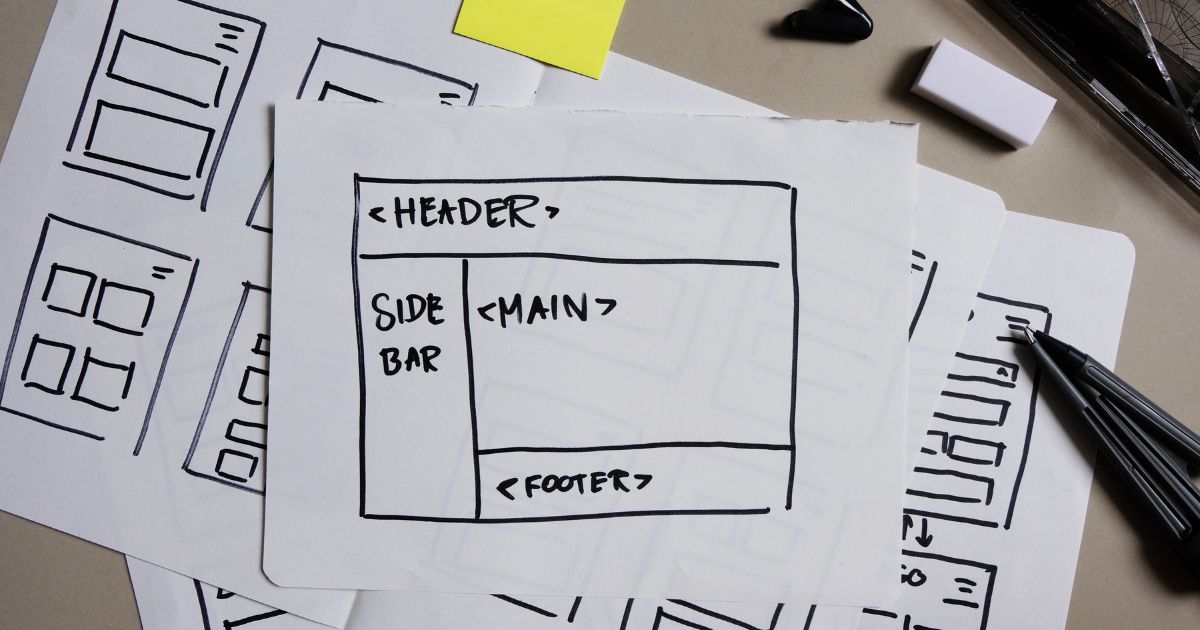
The Nielsen Norman Group has been tracking this behavior through eyetracking studies for over two decades, and the core finding hasn’t changed: people don’t read web pages word by word. They scan. On an average page, users read about 20% of the text, 28% at best. The other 70–80% is skimmed, skipped, or never seen at all.
This isn’t laziness. It’s efficiency. People are scanning for relevance, trying to determine, as quickly as possible, whether the content in front of them is worth their time. And they’re remarkably fast at making that call.
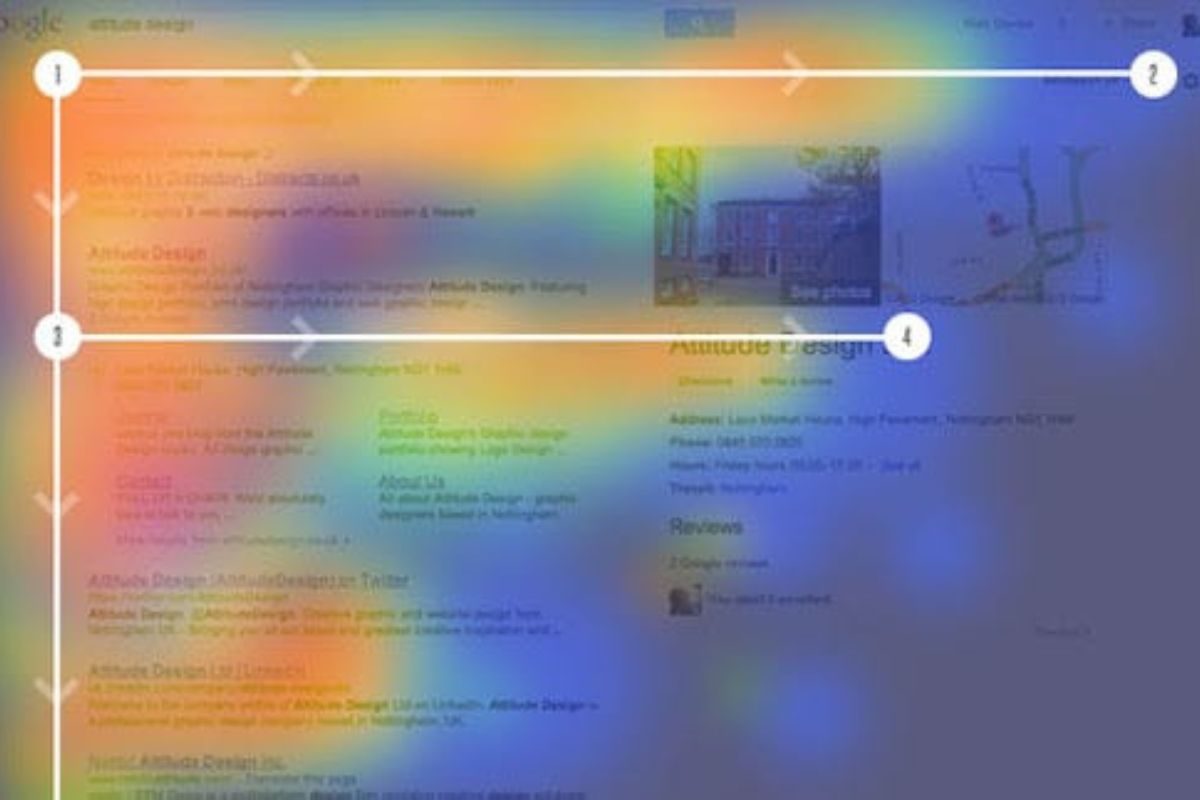
NNGroup’s research identified multiple scanning patterns, but the most common is the F-pattern: users read horizontally across the top of the content, drop down and read a shorter horizontal line, then scan vertically down the left side. The implication for designers is clear, content that doesn’t front-load its value will be missed. Not because the audience doesn’t care, but because the design didn’t meet them where their eyes actually go.
50 Milliseconds: The Window You Didn’t Know You Had
The scanning problem starts even earlier than most designers realize.
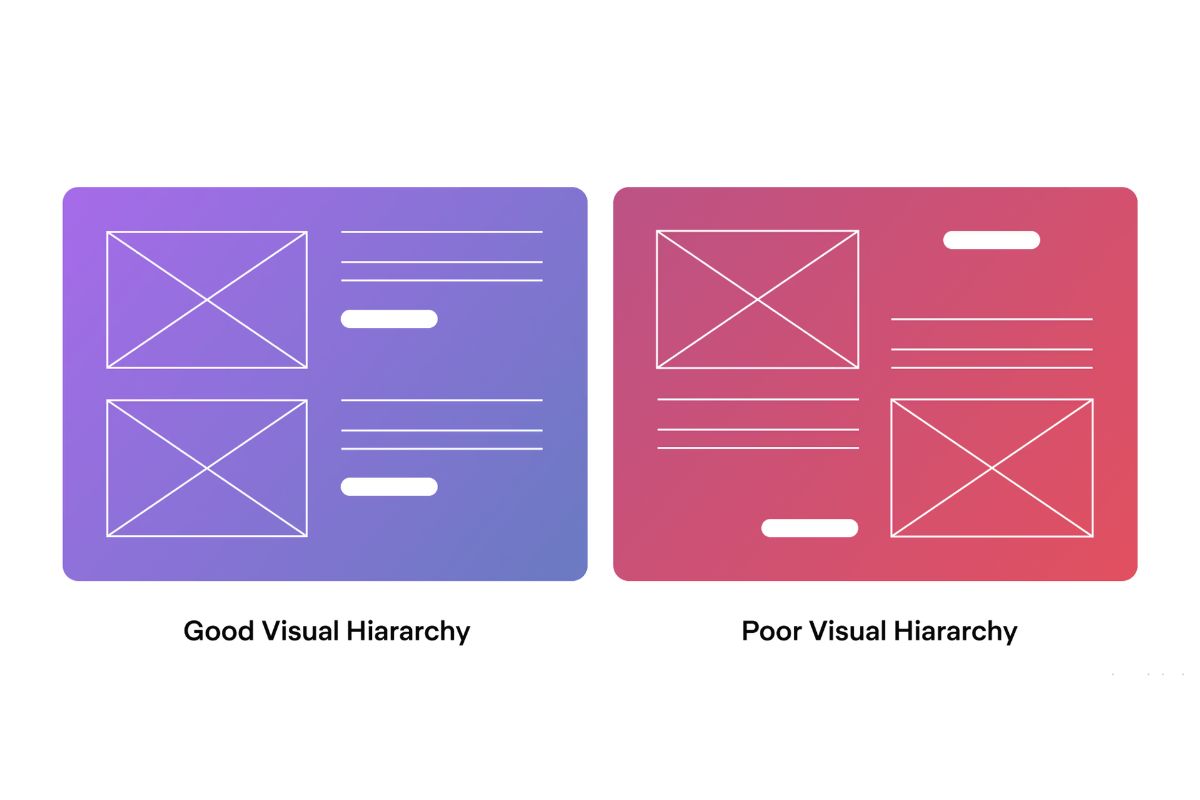
Research from Google, published in collaboration with the University of Basel, found that users form aesthetic judgments about a website within 17 to 50 milliseconds, faster than a blink. Two factors dominate this snap judgment: visual complexity and prototypicality. Websites with low visual complexity (clean, simple layouts) and high prototypicality (designs that look like what users expect for that type of site) were consistently rated as more appealing.
This was confirmed by an earlier study at Carleton University by Lindgaard et al. (2006), which demonstrated that visual appeal can be reliably assessed within 50 milliseconds. The research concluded that web designers essentially have 50 ms to make a good first impression, and that impression is driven almost entirely by visual design, not content.
What This Means for Marketing Leads
If your page looks cluttered, unfamiliar, or visually demanding before anyone reads a word, you’ve already lost a portion of your audience. The design decision isn’t “how do we make this look interesting?” It’s “how do we make this feel immediately navigable?”
Simplicity isn’t a sacrifice. It’s a strategic advantage in the attention economy.
Designing for Three Audiences on Every Page
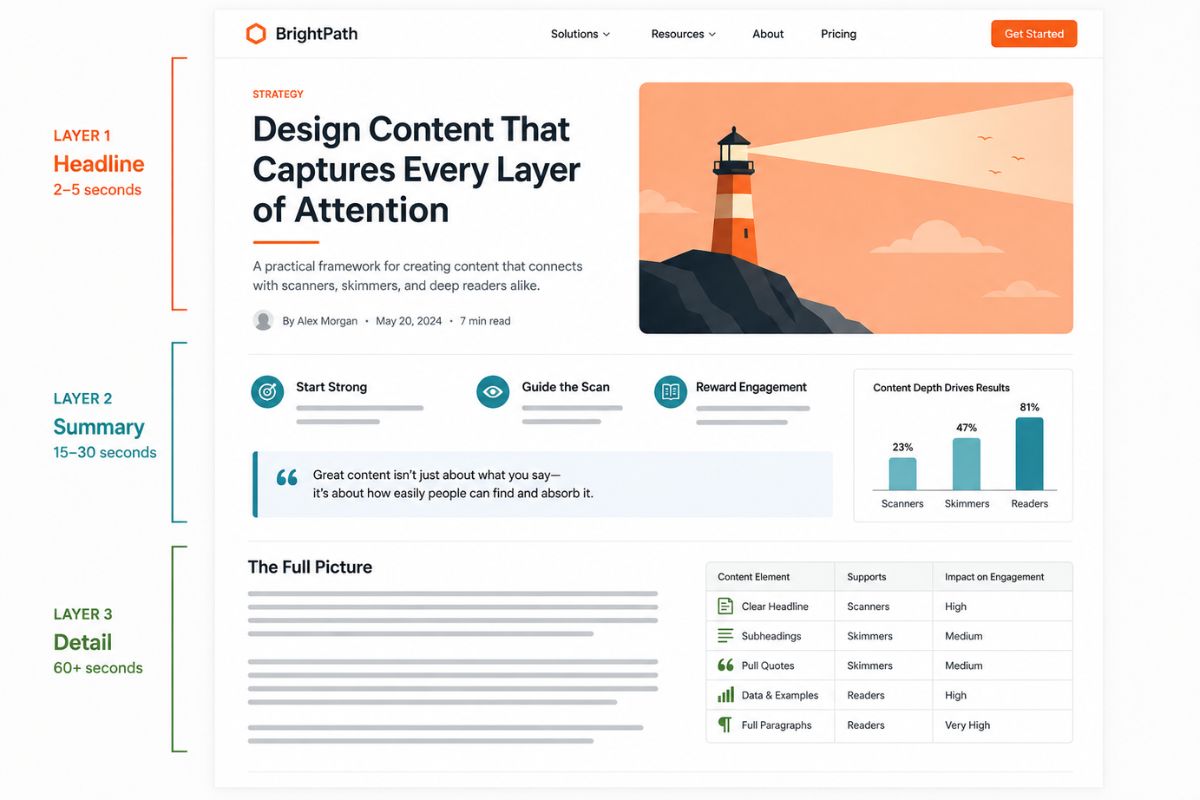
Here’s the shift that changes how you approach content design: every page you publish is consumed at three different depths, by three different types of users. Designing for attention span means designing for all three simultaneously.
Scanners (2–5 Seconds)
These users are making a split-second relevance decision. They’ll see your headline, your featured image, maybe a subheading. If nothing catches them, they’re gone.
What serves them: Strong headlines. Clear visual hierarchy. One dominant focal point above the fold. High contrast between headings and body text. Intentional whitespace that guides the eye rather than overwhelming it.
Skimmers (15–30 Seconds)
These users have decided the page might be relevant, but they’re not going to read every paragraph. They’ll jump between subheadings, scan bolded text, glance at pull quotes, and check any charts or callouts.
What serves them: Descriptive subheadings (not clever ones). Bold keywords that carry meaning on their own. Visual breaks between sections. Callout boxes or insight blocks that summarize key points.
Readers (60+ Seconds)
These users are invested. They’ve decided the content is relevant and they’re willing to go deep. But even committed readers benefit from structure, long blocks of unbroken text will exhaust even the most motivated audience.
What serves them: Short paragraphs. Clear transitions. Supporting evidence and examples. A logical flow from problem to insight to action.
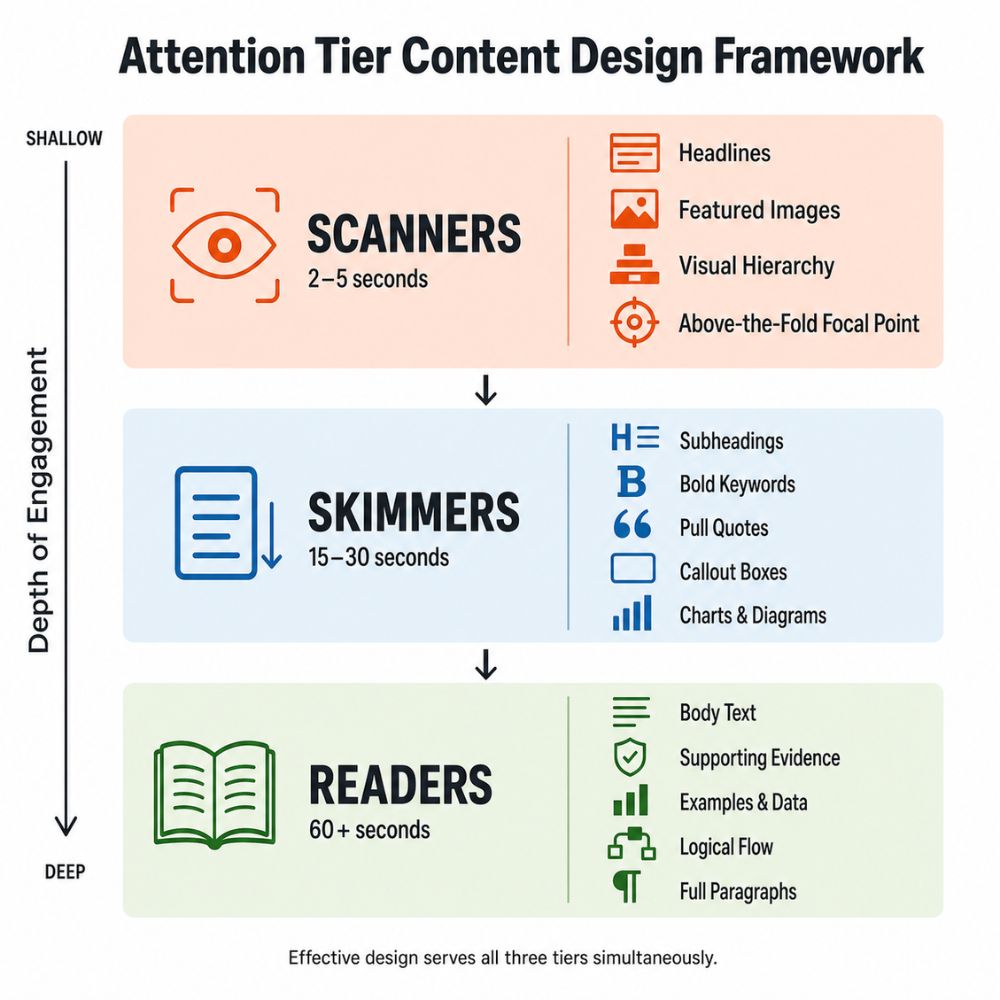
The mistake most teams make is designing exclusively for readers, the smallest group, and hoping the other two will catch up. Effective design does the opposite: it secures the scanner first, rewards the skimmer next, and then delivers depth for the reader who stays.
Practical Design Moves That Respect Attention
You don’t need a redesign to start designing for real attention behavior. These are specific, actionable changes:
Front-Load Value in Every Element
Your headline should communicate the core benefit, not tease it. Your first sentence should establish relevance, not build suspense. Your subheadings should summarize sections, not label them. The NNGroup data is clear: users read the first two words of headings more than anything else. Make those words count.
Use Whitespace as a Functional Tool
Whitespace isn’t empty space. It’s breathing room. It separates ideas, creates visual groupings, and reduces cognitive load. Pages with generous spacing between sections feel easier to navigate, and easier-to-navigate pages hold attention longer.
Make Every Visual Earn Its Place
NNGroup’s eyetracking research found that users pay close attention to information-carrying images, product photos, relevant diagrams, real people, and completely ignore decorative stock imagery. If an image doesn’t advance understanding, it’s just adding to the visual complexity that Google’s research warns against.
Design for Mobile as the Primary Context
More than half of web traffic comes from mobile devices. A design that scans well on desktop but becomes a wall of text on mobile fails the majority of your audience. Test every layout at 375 pixels wide before declaring it done.
Frequently Asked Questions
Are attention spans actually getting shorter?
The widely cited “8-second attention span” statistic has been debunked, it was never validated by the Microsoft study it’s attributed to, and the BBC traced the number to an unreliable source. What research does show is that people are more selective about what they give their attention to, especially in content-saturated digital environments. Attention isn’t shorter, it’s more competitive.
How do I know if my content design is working for scanners?
Run the five-second test: show someone your page for five seconds, then ask them what the page is about and what action they should take. If they can’t answer both questions, your visual hierarchy needs work. The message should be clear from structure alone, before anyone reads a paragraph.
Does designing for scanners mean dumbing down content?
No. It means structuring content so that each level of engagement delivers value. A scanner gets the core message from the headline and layout. A skimmer gets supporting context from subheads and callouts. A reader gets the full depth. The content isn’t simpler, it’s more deliberately organized.
Should all marketing content follow the F-pattern layout?
Not necessarily. The F-pattern describes default scanning behavior on text-heavy pages without strong visual anchors. Pages with clear visual hierarchy, strong images, and varied formatting can break the F-pattern and guide attention more effectively. The goal isn’t to obey the pattern, it’s to design intentionally enough that your content guides the eye where you want it to go.
How does attention-based design affect brand perception?
Positively. Clean, scannable design signals competence and respect for the reader’s time. Google’s research confirms that users perceive visually simple, well-organized pages as more appealing and trustworthy. In the attention economy, clarity is credibility.
Your Content Isn’t Competing With Other Brands. It’s Competing With Everything.
The feed refresh. The notification. The next tab. The group chat. Your content exists in an environment where attention is the scarcest resource, and design is the primary tool for earning it.
Effective design for attention span doesn’t mean making things shorter or louder. It means making things clearer, more structured, and more respectful of how people actually behave. The brands that get this right don’t fight attention, they earn it by making every second of contact count.
Ready to Design Content People Actually Stop For?
If your team is producing content that looks good but doesn’t perform, the issue might not be the message, it might be the design. Adessi helps marketing teams build visual systems that respect how real audiences engage, scan, and decide.